

Webhook
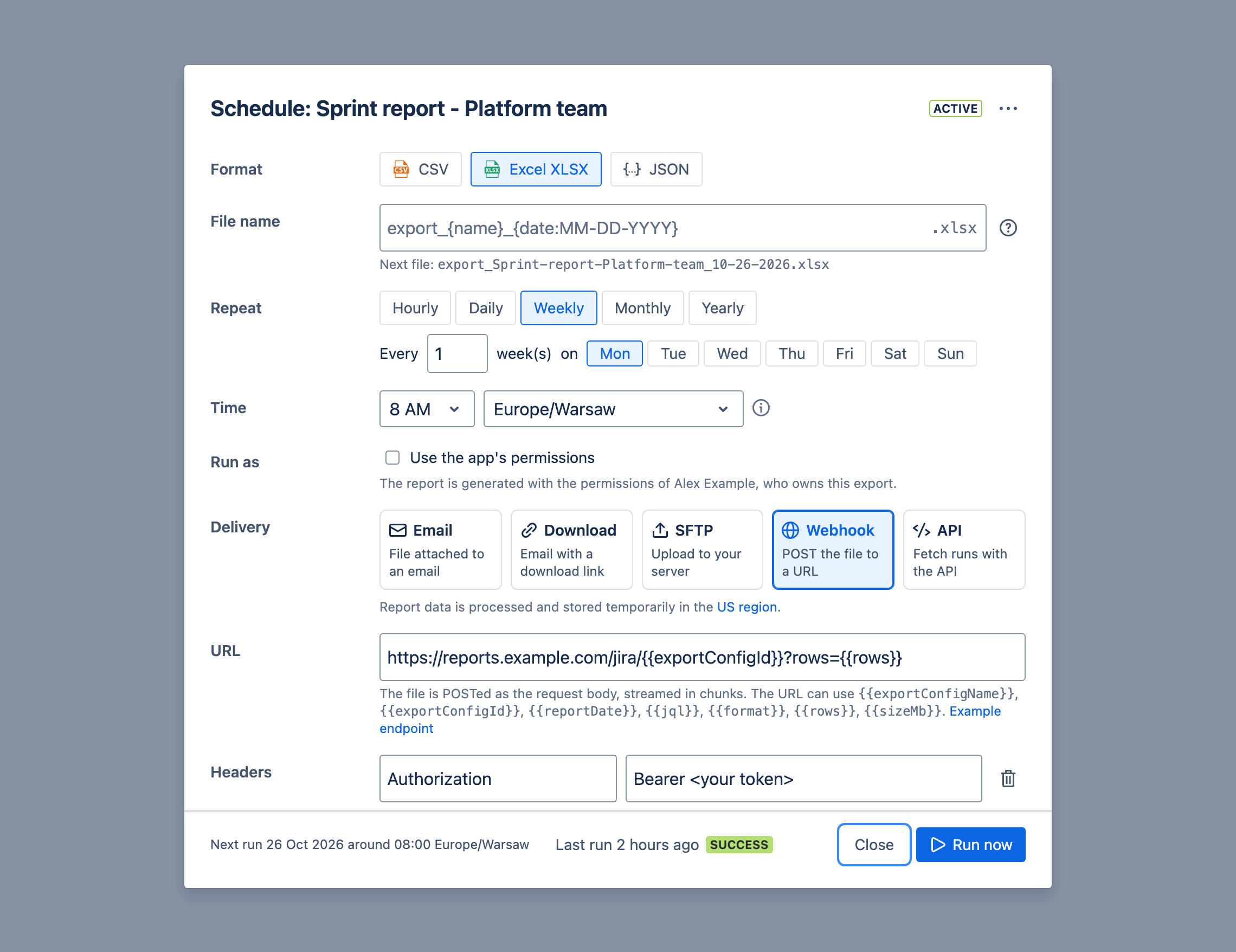
You can also receive the scheduled reports via webhook. The webhook is sent to the URL you specify in the Schedule settings.
Webhook will be called with POST method, with the following headers:
user-agent: Advanced Export/3.0.7transfer-encoding: chunkedcontent-disposition: attachment; filename="FILENAME"- absent for JSON report formatcontent-type: "MIME_TYPE or application/json for JSON"x-download-schedule-id: "SCHEDULE_ID"x-download-schedule-execution-id: "SCHEDULE_EXECUTION_ID"x-report-warning: "..."- only when the report hit a limit, for example a SQL export that read its maximum number of work items- any custom headers you add under Headers, for example
Authorization: Bearer <your token>
Your endpoint has to accept streamed content (“transfer-encoding: chunked”).
Webhook URL can use following values:
{{exportConfigName}}{{exportConfigId}}{{reportDate}}{{jql}}{{format}}{{rows}}{{sizeMb}}
Any part of the URL containing these values will be substituted. For example:
https://example.com/report/{{exportConfigId}}?date={{reportDate}}&format={{format}}&rows={{rows}}&size={{sizeMb}}
may result in a call to:
https://example.com/report/1234-5678-9012?date=2022-03-14T08:42:00.000Z&format=CSV&rows=42&size=1.25
Example webhook endpoint implementation and test
Section titled “Example webhook endpoint implementation and test”Here’s an example of the NodeJS Express based server receiving the content of the report and saving it as a file.
Note the name of the file is taken from the content-disposition header.
There’s no authorisation implemented below, however you can for example supply your custom header (e.g. Authorization: Basic XXXXXXXX) to verify webhook is being called from the Advacned Export application.
import express from "express";import fs from "fs";
const app = express();app.use(express.json());
const UPLOAD_DIR = "./uploads";
app.post("/upload", (req, res) => {  const contentDisposition = req.headers["content-disposition"];  const contentType = req.headers["content-type"];
  if (contentType === "application/json") {    const body = req.body;
    // process JSON data...    console.log(body.columns);    console.log(body.rows);
    res.sendStatus(200);  } else if (contentDisposition) {    // process file attachement    let filename = "file.dat";
    const filenameRegex = /filename[^;=\n]*=((['"]).*?\2|[^;\n]*)/;    let matches = filenameRegex.exec(contentDisposition);    if (matches != null && matches[1]) {      filename = matches[1].replace(/['"]/g, "");    }
    const writeStream = fs.createWriteStream(`${UPLOAD_DIR}/${filename}`);
    req.pipe(writeStream);
    writeStream.on("finish", () => {      console.log(`Received file ${filename}, ${contentType}`);      res.sendStatus(200);    });
    writeStream.on("error", (err) => {      console.error(`Error writing file: ${err.message}`);      res.sendStatus(500);    });  }});
app.listen(3002, () => {  console.log("Server listening on port 3002");});
This code and more example is available in the GitHub repository
To test it:
- Save the above code as
server.js - Run the server locally with
node server.js - Use ngrok to expose it to the internet:
ngrok http 3002-
Use the ngrok tunnel as the webhook URL in the schedule settings, e.g.
https://xxxx-xxxx-xxxx.ngrok-free.app/upload(note the/uploadpath). -
You can then use Run now in the schedule dialog to run the schedule and test the webhook.