

API documentation
Authentication
Section titled “Authentication”The API is authenticated with an API key. To create one, open the Advanced Export dashboard, then the settings (gear) menu → API Configuration. There you can generate a key, or delete it. The key is shown only once, when it is created.
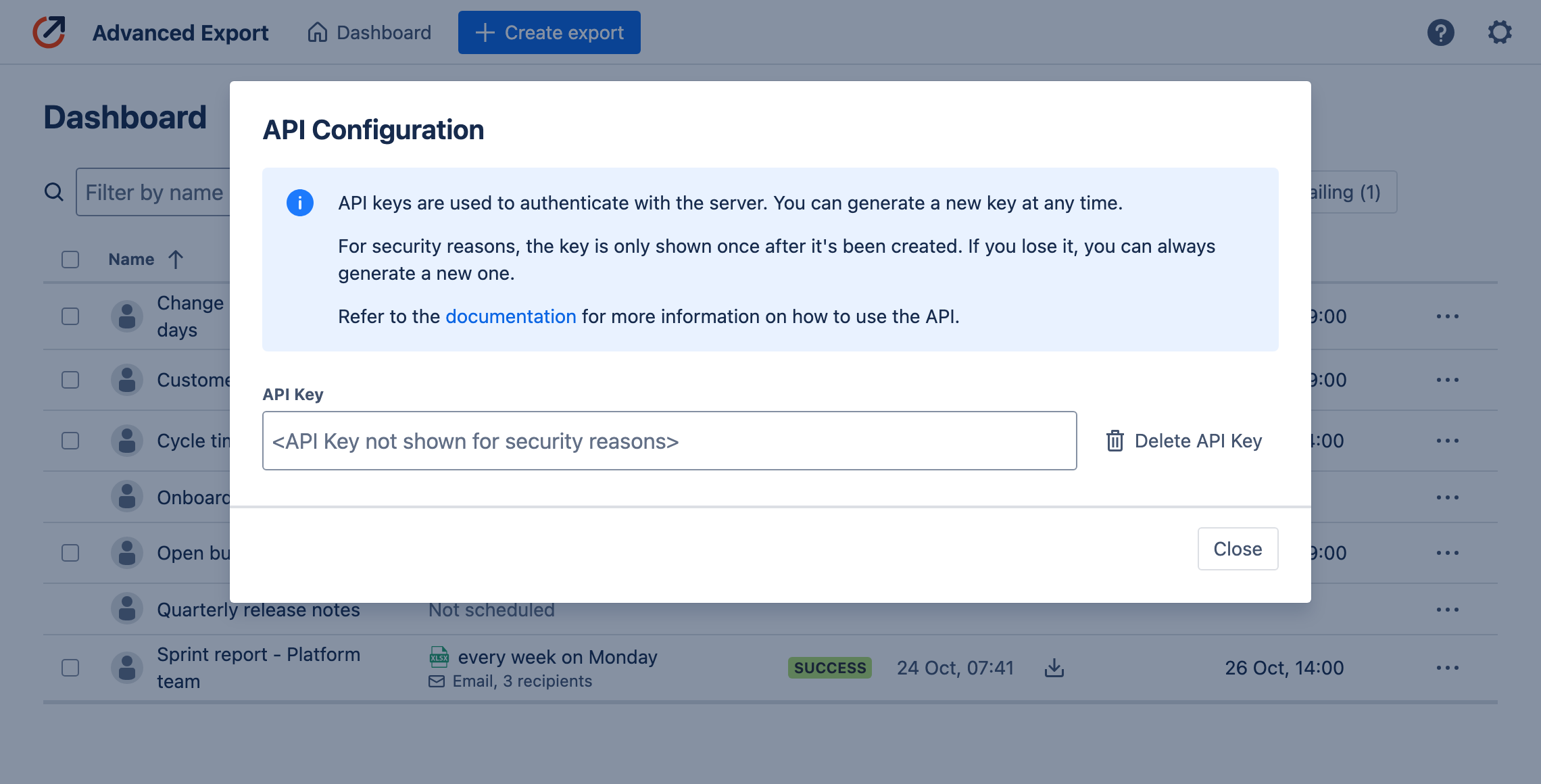
API Key should be passed in the Authorization header, e.g.:
curl -X GET https://ae.kanbanalytics.com/api/1/schedules \ -H "Authorization: Bearer <YOUR_API_KEY>"The base URL for the API is https://ae.kanbanalytics.com/api/1. All the endpoints described below are relative to this URL.
Endpoints
Section titled “Endpoints”All the endpoints return statuses:
- 200 Success
- 401 Unauthorized - Check if you have provided the correct API Key as
Authorizedheader. - 404 Not found - Check if you provided correct id of the resource.
Get schedules
Section titled “Get schedules”GET /schedules
Returns a list of scheduled exports visible to you which are enabled for API delivery.
Request:
curl https://ae.kanbanalytics.com/api/1/schedules \ -H "Authorization: Bearer <YOUR_API_KEY>"Response:
[ { "id": "7fb0af3c-fd0b-4fc6-a77e-445c8d7c23ad", "format": "JSON", "paused": false, "pauseReason": null, "ExportConfig": { "name": "Export configuration", "isPublic": false, } }, ...]Get latest execution info
Section titled “Get latest execution info”GET /schedules/<SCHEDULE_ID>/executions/latest
Returns information about the latest execution of the schedule with the given ID. The ID can be obtained either using the /schedules endpoint or from the Advanced Export app Dashboard.
Request:
curl https://ae.kanbanalytics.com/api/1/schedules/43cf1ea8-dea8-4bec-8614-1ebab9f49513/executions/latest \ -H "Authorization: Bearer <YOUR_API_KEY>"Response:
{ "id": "43cf1ea8-dea8-4bec-8614-1ebab9f49513", "type": "scheduled", "executionDate": "2024-04-21T16:02:04.835Z", "result": "{\"exportedRows\":10,\"exportedSizeMb\":0.1}", "uploadExpirationDate": "2024-04-22T14:02:07.006Z", "error": null, "format": "JSON", "filename": "export_04-21-2024.json"}Get latest execution data
Section titled “Get latest execution data”GET /schedules/<SCHEDULE_ID>/executions/latest/result
Returns the result of the latest execution of the schedule with the given ID.
Request:
If the request contains Accept: application/json header and the format of exported file is JSON, the response will be JSON and contain header:
Content-Type: application/jsonOtherwise, the response will be a file with the exported data with headers:
Content-Disposition: attachment; filename="[FILENAME]"Content-Type: [application/json | text/csv | application/vnd.openxmlformats-officedocument.spreadsheetml.sheet]Example:
curl https://ae.kanbanalytics.com/api/1/schedules/43cf1ea8-dea8-4bec-8614-1ebab9f49513/executions/latest/result \ -H "Authorization: Bearer <YOUR_API_KEY>" \ -H "Accept: application/json"Response:
File or JSON payload with contents of the export. Example JSON payload:
{ "columns": [ { "id": "issuekey", "displayName": "Key", "unsupported": false, "special": true, "type": "string" }, { "id": "comment", "displayName": "Comment", "unsupported": false, "special": false, "type": "comments-page" }, { "id": "assignee", "displayName": "Assignee", "unsupported": false, "special": false, "type": "user" } ], "rows": [ ... ]}