

Safety and permissions
An agent reads work item content, and anyone who can edit or comment on a work item can write text that tries to steer it. So Advanced Export does not rely on the agent behaving well. The rules below are enforced by Advanced Export itself, whatever the agent is told, and they apply equally to Rovo Studio agents and other AI assistants.
The agent acts as you
Section titled “The agent acts as you”- Your identity comes from Atlassian, not from the conversation. Rovo tells Advanced Export who is asking. Nothing typed into the chat, or written in a work item, can make the agent act as someone else or on another site.
- It reads Jira with your permissions. Previews, field and user lookups and JQL checks run as you, so they show only what you can see in Jira. They never borrow the permissions of the export’s owner or of the app.
- It sees what you see in the dashboard. Your own exports and the public exports on your site, and their schedules and runs.
- It changes only what you own. You can save new exports. Only the owner of an export can change it, or create, change, pause or run its schedule.
- Files generated with add-on permissions stay restricted. A delivered file from a schedule that generates with add-on permissions may contain more than any one person can see, so only the export’s owner and Jira admins can read it through the agent.
- No new permissions. The agent uses the access the app already has. Installing or updating it did not ask your admin to approve anything new.
Reports go only where your site already sends them
Section titled “Reports go only where your site already sends them”- Recipients are people on your Jira site. The agent finds them by name and asks you to choose when two people match. Their email addresses are looked up by the app and are never shown to the agent.
- Email addresses outside Jira are off by default. A Jira admin can allow them in Settings (Jira settings → Apps → Advanced Export Settings → Scheduled Reports, under AI agents), with Allow AI agents to send reports to email addresses outside Jira. Leave it off unless you need it.
- SFTP only to your own servers. The agent can deliver only to SFTP servers you have already set up yourself in the dashboard. It cannot add a server or read its credentials.
- No webhooks. The agent cannot create or change a webhook delivery.
You confirm every change
Section titled “You confirm every change”Rovo asks you before the agent creates or changes an export or schedule, pauses or resumes a schedule, or runs or sends a report. Each change is listed with its details, and nothing happens until you choose Confirm selected. Cancel stops it.
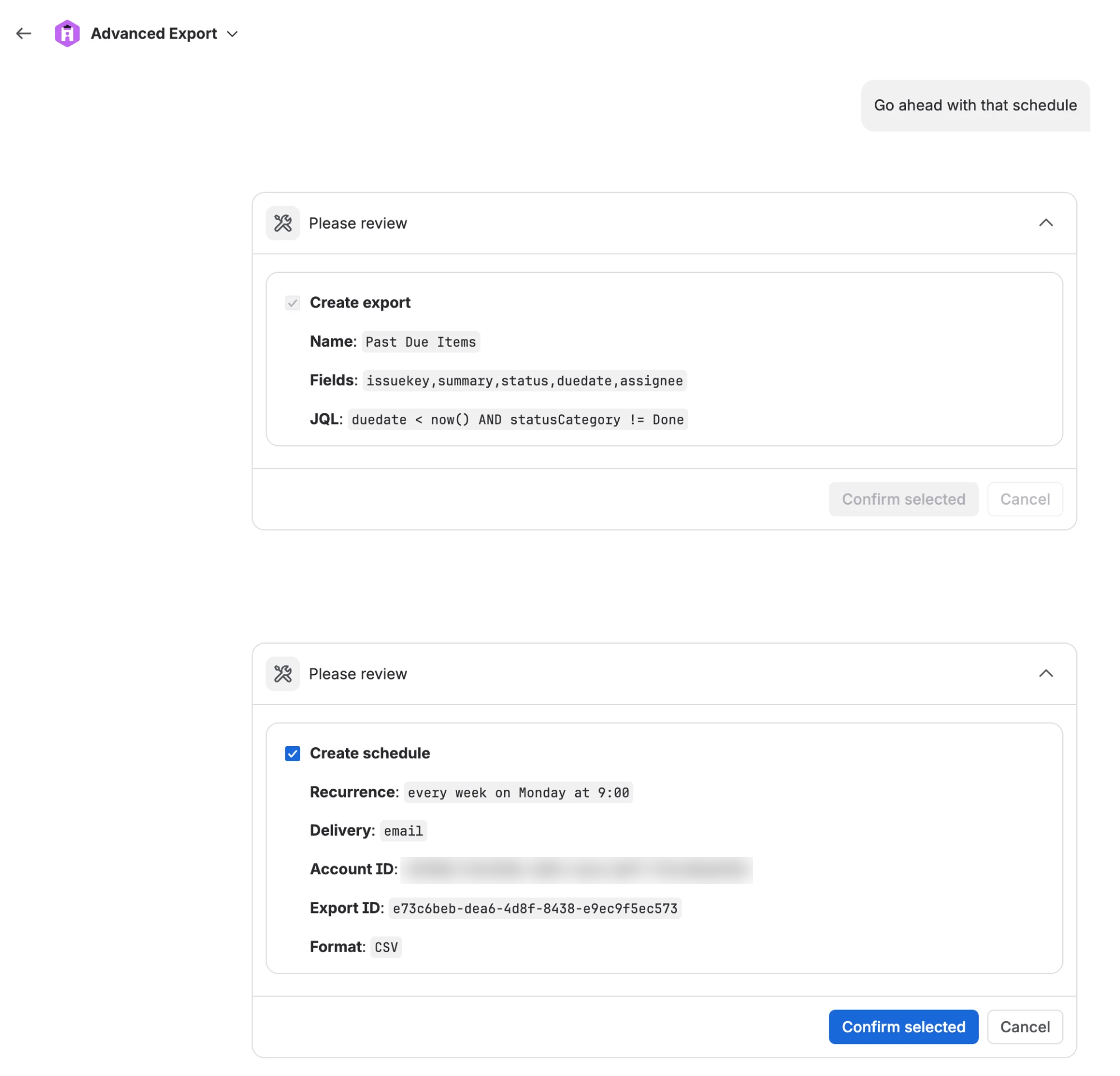
Before it asks, the agent also tells you in plain words who will receive the report and when it will run. After it saves a schedule, it shows the next run times so you can check them.
Rovo agents started by a Jira automation rule cannot make changes at all, because there is nobody to confirm them. They can still find and show data.
Scheduling restrictions apply to the agent
Section titled “Scheduling restrictions apply to the agent”If a Jira admin has restricted scheduling to some groups and project roles, the agent is restricted in exactly the same way as the dashboard. If you are not allowed to schedule, it cannot create, change, pause or run schedules for you, or send an export, and it tells you:
A Jira admin has restricted scheduling on this site to some groups and roles, and you are not in them. You can still run exports in the dashboard.
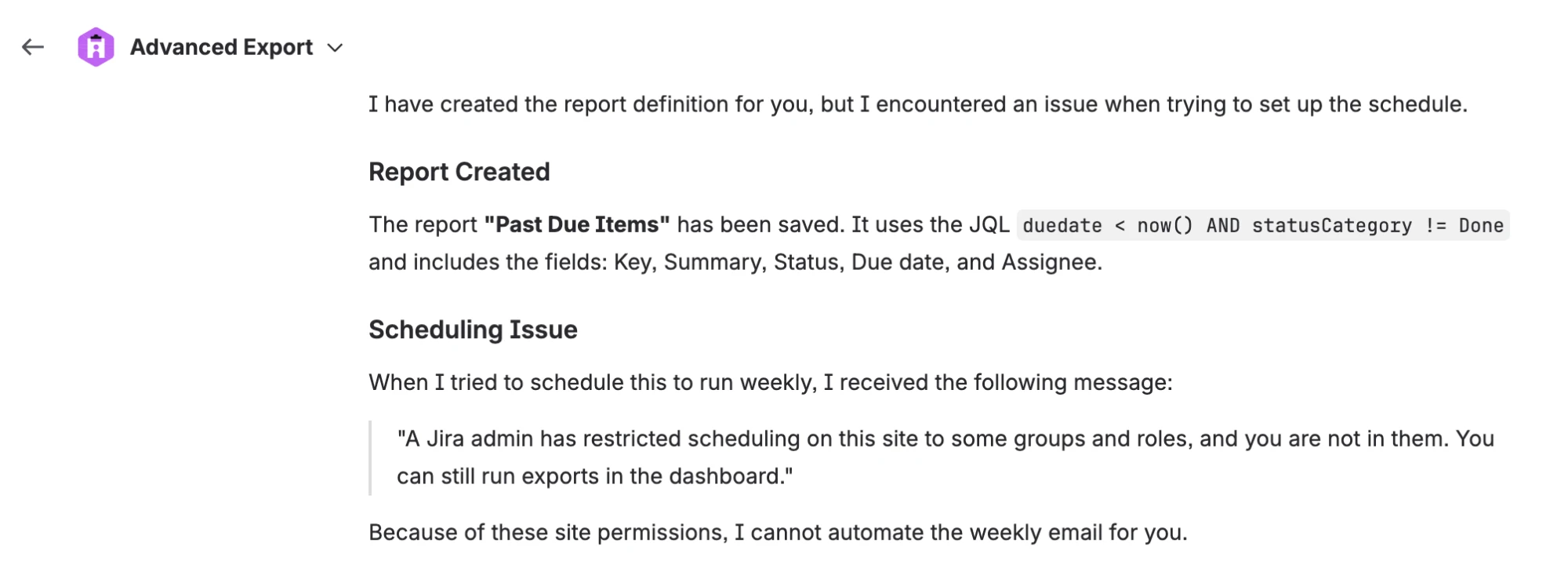
You can still save exports with the agent, preview them, and export in the browser.
Everything is recorded
Section titled “Everything is recorded”Every change made through the agent is recorded with who asked for it and when.
Rate limits
Section titled “Rate limits”To keep an agent that has gone wrong from flooding inboxes or your Jira site, each person can make, per site and per hour:
| Limit | |
|---|---|
| Runs and sends (run a schedule now, send an export now) | 20 an hour |
| Changes (create or change an export or schedule, pause or resume) | 60 an hour |
Attempts count even when they are refused. When you reach a limit the agent tells you when you can try again. Finding and previewing data are not limited this way.
Licence
Section titled “Licence”Running a schedule now or sending an export now follows the same licence rules as scheduled reports.