

SFTP upload
The report is uploaded to a folder on your SFTP server, for example for a data warehouse or
BI tool to pick up. Use a file name template
such as {name}_{date:YYYYMMDD} so each run lands in its own file.
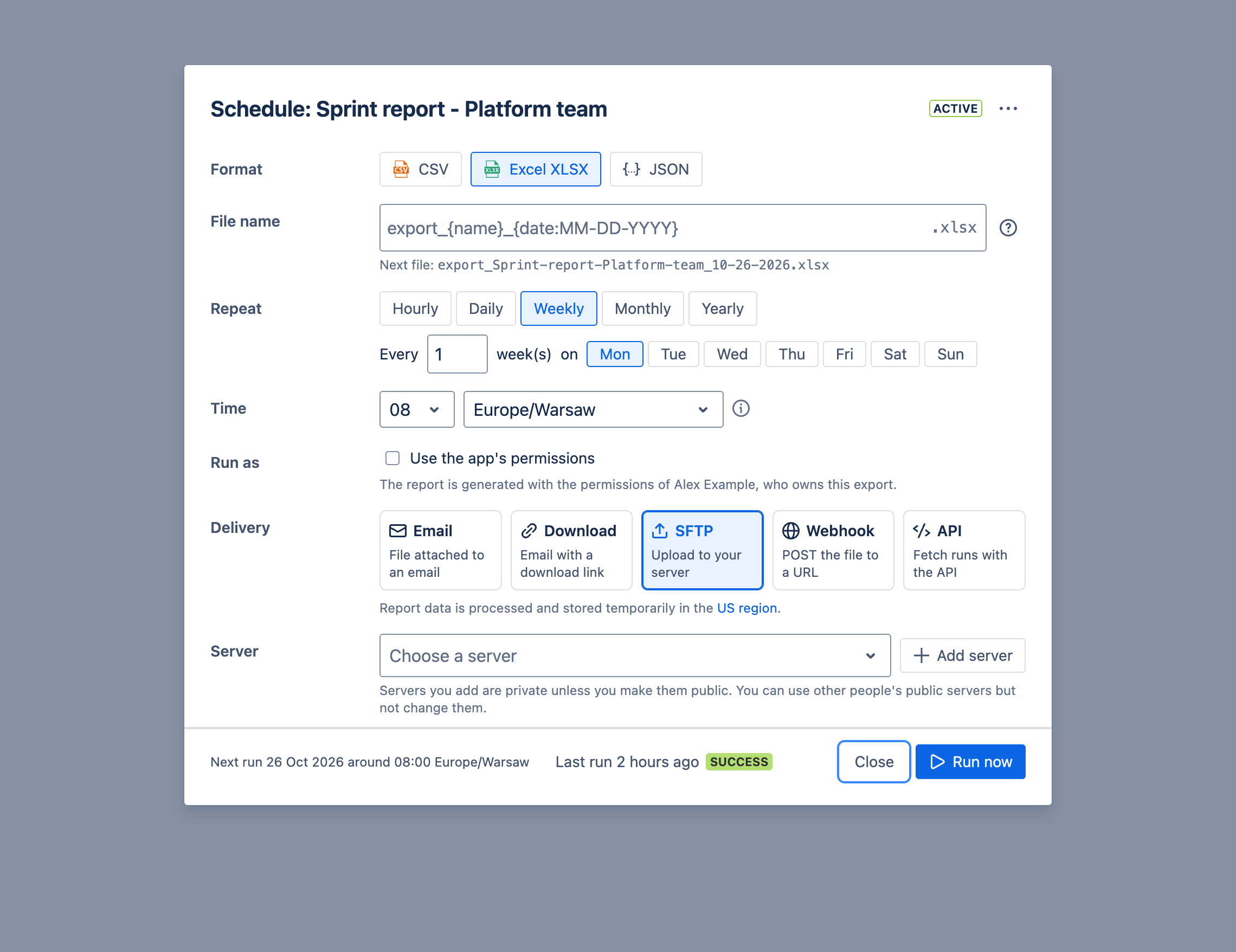
Choose a server, or Add server to set one up: its name, host name, port, user name and base path, and either a password or an SSH private key, optionally protected by a passphrase. Test & Create checks the connection before saving. Credentials are stored encrypted, and never shown again.
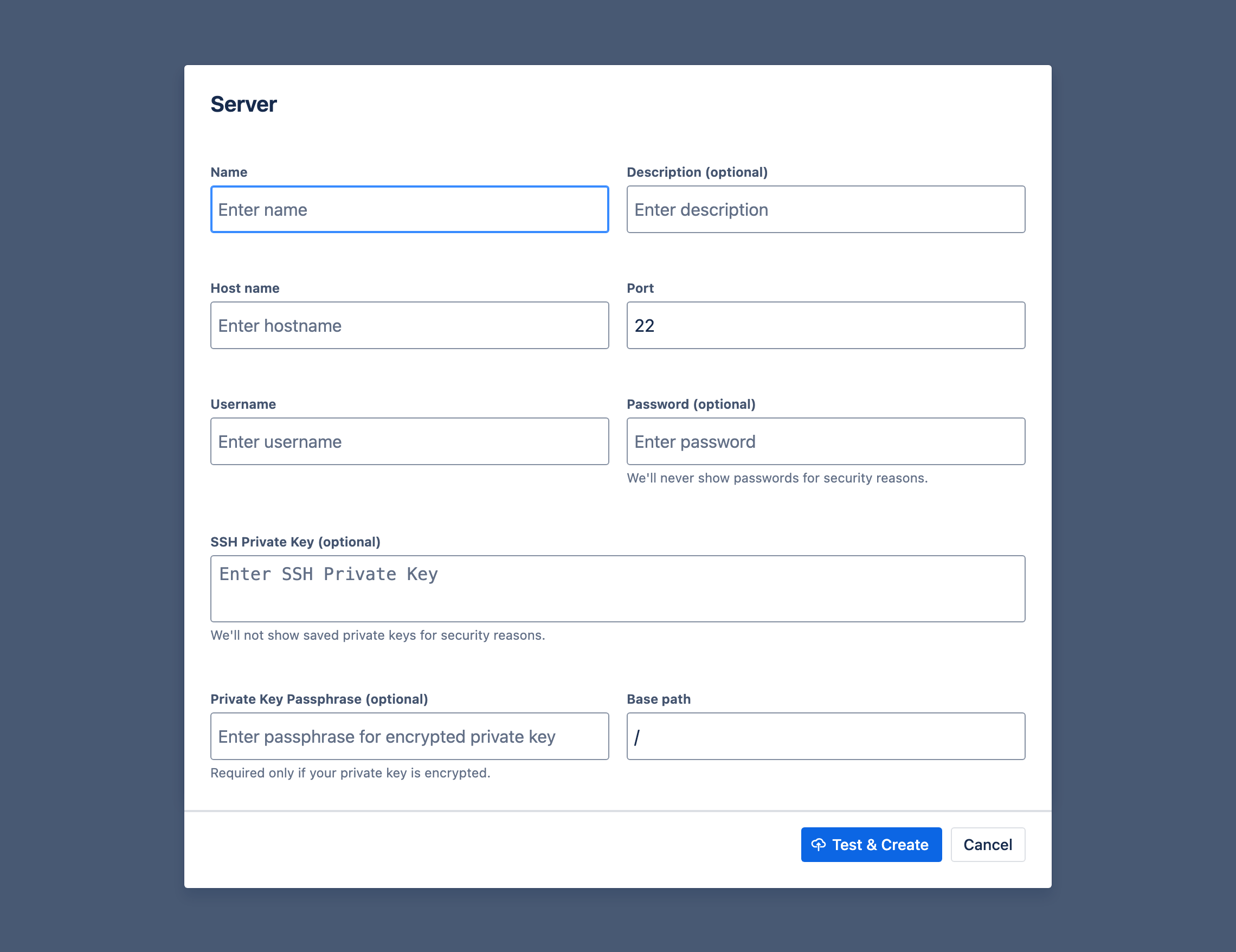
Servers you add are private unless you make them public. You can use other people’s public servers, but not change them.
The Rovo agent can schedule reports to servers you have already added, but cannot add servers or read their credentials.